How to set AI support triage thresholds without copying a vendor's table
Vendor guides publish fixed confidence cutoffs for AI support triage. They're tuned to someone else's tickets. Here's how to calibrate your own, category by category.

Someone on the team found a vendor's blog post with a tidy table: shipping and order-status questions auto-reply above a score of 0.80, login and password resets above 0.85, bug reports above 0.75. It took an afternoon to wire those numbers into the router. Two weeks later, a customer who had already called in twice about a double charge got a cheerful auto-reply to their third message, closed as resolved.
The numbers weren't wrong. They just weren't calibrated to this team's tickets, their classifier, or their customers. A confidence threshold is a statement about a specific model's behaviour on a specific distribution of tickets. Borrow someone else's threshold and you're borrowing their distribution too.
A small team without a dedicated data or ops role usually skips the calibration step entirely and picks one of two defaults instead: escalate almost everything, so the automation barely runs, or trust the model's own confidence number at face value, so the wrong ticket eventually closes itself.
Why one global threshold fails
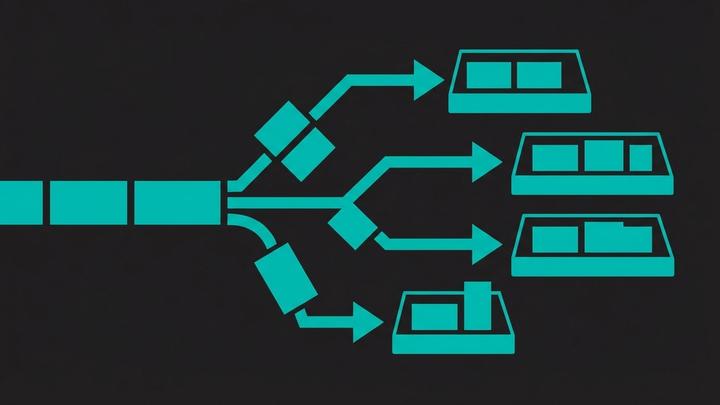
The easiest way to wire up triage is a single cutoff: anything above some score auto-resolves, anything below goes to a person. That treats a forgotten password and a billing dispute as the same kind of risk, which they aren't. Getting a password reset wrong costs a second email. Getting a refund decision wrong costs money, trust, and sometimes a chargeback. One number can't carry both of those costs, so teams either escalate almost everything or auto-resolve too much.
Why a copied per-category table still doesn't fit
Splitting the cutoff by category is the right instinct: a stricter line for money and account changes, a looser one for FAQs. The mistake is assuming someone else's category cutoffs apply to your tickets. Two problems show up in practice. First, a model's own confidence score is often a poor measure of how often it's actually right - scores tend to bunch in a narrow band, so a rule like "escalate anything under 0.60" can end up escalating almost nothing, because almost nothing scores that low. Second, your ticket mix, your classifier, and your customers' language aren't the vendor's. A cutoff tuned on someone else's login-reset tickets says nothing about how your classifier scores yours.
The method: calibrate from your own tickets
Start by deciding, category by category, what an acceptable error rate actually is. A wrong reply to a shipping-status question is cheap to fix; a wrong reply to an account-security question isn't. That bar, not a round number like 0.85, is what you're calibrating against.
Pull a sample of a few hundred past tickets, spread across your categories, and label each one with the right category and whether an automatic reply would have been acceptable. Run your classifier over that sample and plot accuracy against the confidence score it returned, one chart per category. Somewhere on that chart is the lowest score where accuracy still clears the bar you set for that category. That's your threshold, not a number copied from a blog post.
Do this per category, not once for the whole helpdesk. A shipping-status question and a security question will land in very different places on that chart, and they should.
None of this needs exotic tooling. A spreadsheet with a ticket id, its category, the confidence score the classifier returned, and a human-labelled correct-or-not column is enough to see where the curve crosses your bar. The work is in deciding where that bar sits for each category and in actually labelling the sample, not in the math.
Some categories skip the threshold entirely
A threshold only makes sense where a wrong automatic reply is a minor cost. For the rest, the rule isn't a number, it's always escalate, regardless of what the model says. This is the same gate the action, not the analysis rule we've written about for finance approvals - the categories change, the logic doesn't.
| Category | Typical signal | Action |
|---|---|---|
| Shipping / order status | Clear match to a tracked order | Auto-reply once calibrated |
| Password / login reset | Clear intent match | Auto-reply once calibrated |
| General how-to question | Matched to a help-centre article | Auto-reply once calibrated |
| Billing dispute or refund request | Category match alone | Always escalate, no threshold |
| Security or data concern | Category match alone | Always escalate, no threshold |
| Repeat contact, same issue | Second or third message on one ticket | Always escalate, no threshold |
| Negative sentiment detected | Frustration or anger in the message | Always escalate, no threshold |
What the human-review queue needs to show
A ticket that misses its threshold still needs the AI's work carried forward, not a blank slate. Hand the reviewing agent the category it matched, the confidence score, the source it grounded its draft reply in, and a one-line note on why it didn't auto-resolve. A customer who's already been frustrated once shouldn't have to explain their problem again because the agent is starting from zero.
This is also where to watch for a threshold that's quietly wrong. If the review queue for a category is consistently approving the AI's draft without changes, that category may be ready for a higher auto-resolve rate. If agents keep overriding it, the threshold is set too loose, not too strict, and the fix is to tighten it rather than add a second review step on top.
Recalibrate on a schedule, not once
A threshold set against last quarter's tickets goes stale the moment the product changes, a new policy ships, or a seasonal spike changes what people are writing in about. Pick a trigger - a fixed interval, or a volume threshold on a new ticket pattern - and re-run the labelling exercise against it. Treat the number as a setting you own and revisit, not a constant you set once.
Where this still needs a person
This gets a triage system most of the way to running itself, but the category list, the acceptable-error bar for each one, and the decision to extend auto-resolution into a new category are calls someone on your team has to keep making. We build this kind of calibrated triage inside a team's own helpdesk and classifier: not a one-size confidence number, but the labelling and threshold-setting work done against that team's real tickets, with a person still owning where the line sits. If that's a gap in how your support queue runs today, the next step is a conversation about your own ticket mix, not a demo of someone else's thresholds.
FAQ
What's a confidence threshold in AI support triage?
It's the score a classifier has to clear before a ticket is auto-resolved instead of going to a person. Below the threshold, the ticket escalates.
Why not just use one threshold for every ticket type?
Because the cost of a wrong answer isn't the same everywhere. A wrong password-reset reply costs a follow-up email; a wrong refund decision costs money and trust. One number can't represent both risks.
Can I use a vendor's published threshold table as a starting point?
You can use it as a rough shape for which categories tend to need stricter gates, but not as the actual cutoff. Their numbers are calibrated to their model and their tickets, not yours.
How many tickets do I need to calibrate a threshold?
Enough per category to see a real accuracy-versus-confidence curve, not just a handful of examples. A few hundred past tickets spread across your categories is a reasonable starting sample.
Which categories should never get a confidence threshold at all?
Anything where a wrong auto-reply is expensive to undo: billing disputes, refund requests, security or data concerns, repeat contacts on the same issue, and messages with clear frustration. Route those to a person regardless of score.
How often should thresholds be recalibrated?
Whenever the ticket mix changes meaningfully - a new product, a policy change, a seasonal spike - or on a fixed schedule if nothing else prompts it. A threshold is a setting, not a constant.